DataCrate Settings
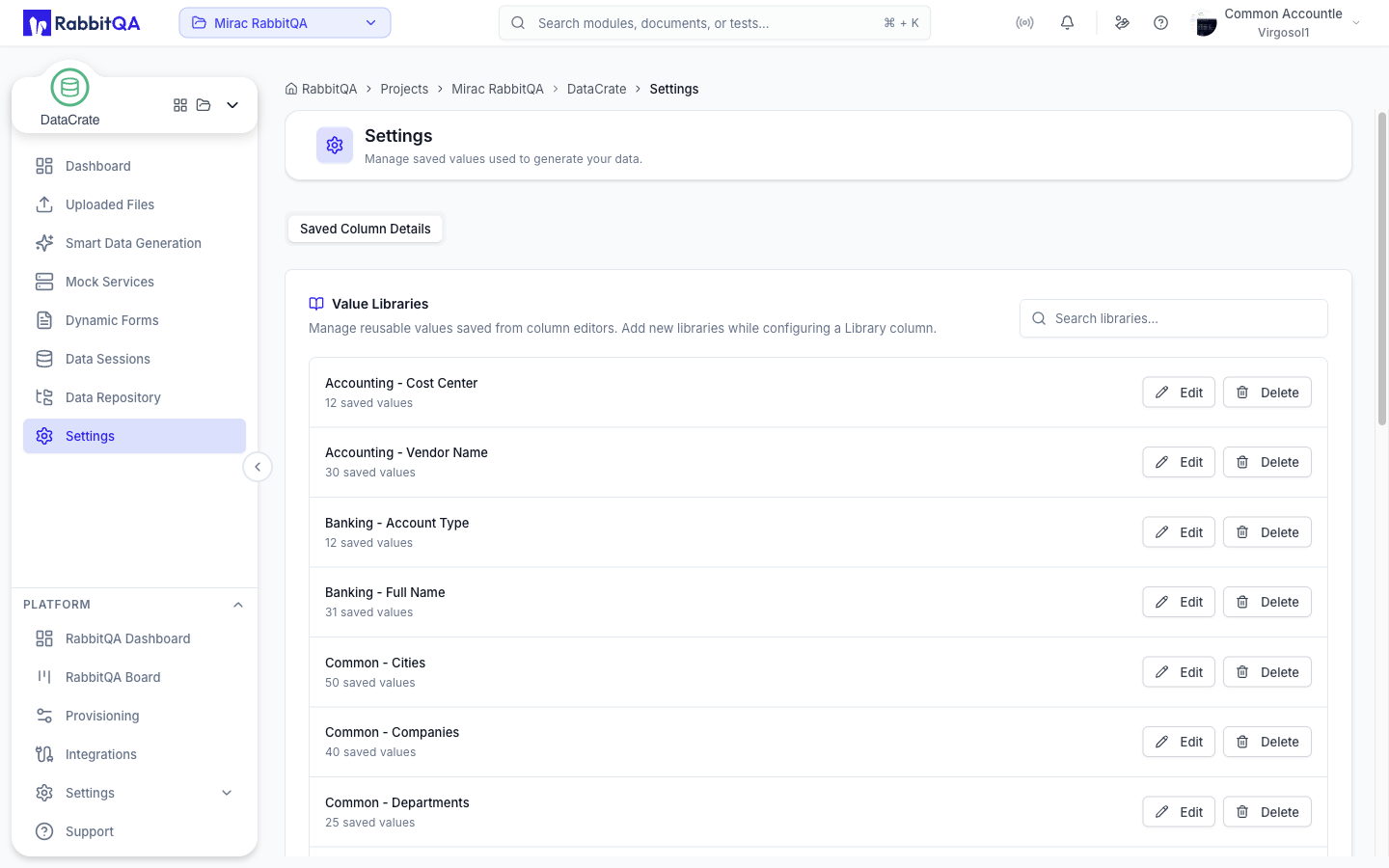
Settings manages the saved values DataCrate uses when it generates your data.
The page has one tab: Saved Column Details.
Value Libraries
A Value Library is a named list of values that a Library column picks from at random during generation.
Libraries are created inside the column editor, not here.
While configuring a Library column in Smart Data Generation, use Upload new to add a .txt or .json list of values.
This page is where you review, rename, and clean up the libraries that already exist.
Each entry shows the library name and either the number of saved values it holds or a note that it is file-backed.
Searching
The search box filters libraries by name. Results are paged, with previous and next controls and a count showing which entries you are looking at.
Editing a Library
Edit opens the library for changes. Renaming it or changing its values applies everywhere the library is selected as a column generation method.
| Field | Notes |
|---|---|
| Library Name | Required |
| Saved Values | One value per line. At least one value must remain |
File-backed libraries expose only the name field — their values come from the uploaded file.
Deleting a Library
Delete removes the library so it is no longer offered in column editors. This cannot be undone, and it does not change data that was already generated.
Permissions
Editing and deleting libraries require the matching DataCrate provisioning permissions. Without them, the actions are hidden and the page is read-only.
Related Pages
- Smart Data Generation — where libraries are created and used
