Dashboard
The dashboard is where you land after signing in. It answers two questions: how big is this organization, and which modules is it actually using.
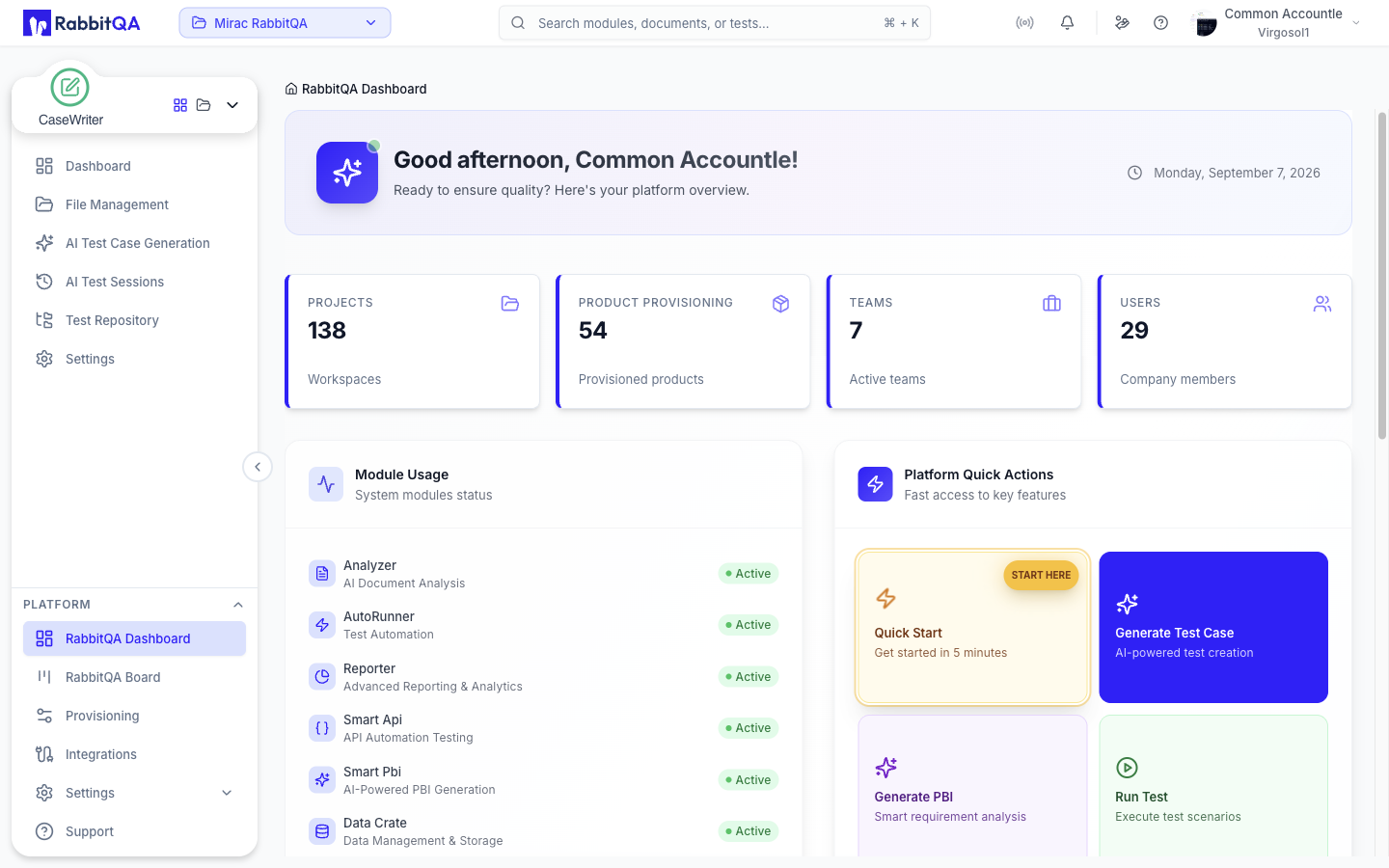
Company totals
Four cards summarize the organization:
| Card | Counts |
|---|---|
| Projects | Workspaces in the company |
| Product Provisioning | Products defined in Provisioning |
| Teams | Active teams |
| Users | Company members |
These are company-wide figures, not filtered to your active workspace.
Module usage
The Module Usage card lists the company's modules, each with a short description and an Active or Inactive badge.
It is the fastest way to see which modules your company actually has switched on.
Integrations
An Integrations card shows how many integrations are connected and renders a tile for each one. A Manage link takes you to Integrations, and selecting a tile opens that integration directly. With nothing connected the card shows a Setup Now prompt instead.
Quick actions
The Platform Quick Actions panel is a set of shortcuts into the work people most often start from the dashboard:
| Action | Goes to |
|---|---|
| Quick Start | Opens the in-app help panel |
| Generate Test Case | CaseWriter AI generator |
| Generate PBI | Smart PBI generation |
| Run Test | TestPilot test executions |
| Support | Support |
| View Reports | TestPilot reports |
| Invite Team | Team Management |
| Integrations | Integrations |
Actions belonging to a module your company does not have are still shown, but greyed out and labelled License required. Invite Team is greyed out the same way when the sidebar would not show you Settings › Team Management.
Related
- Workspaces — why the modules you see may differ from a colleague's
- Team Management — changing the user and team counts shown here
