Request Sessions
A session is one AI evaluation — the description you wrote, the documents you attached, the questions the AI asked, the answers you gave, the score they produced, and the request generated from them.
Every AI-generated request on the Request Board has a session behind it.
The list at /smartrequest/sessions is where those sessions are found, resumed, reviewed, and removed.
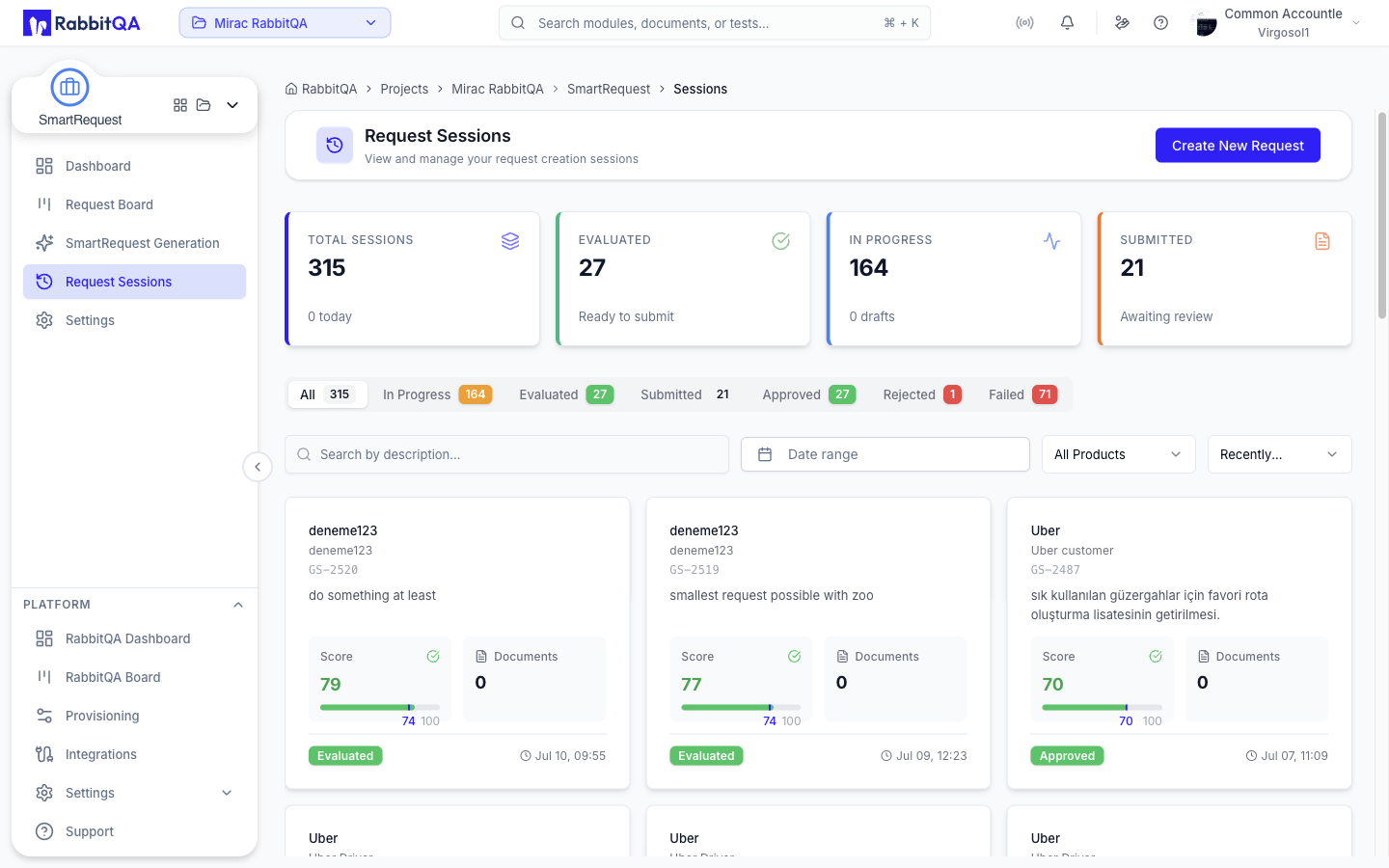
Metric Cards
| Card | Shows | Subtitle |
|---|---|---|
| Total Sessions | All sessions | How many started today |
| Evaluated | Sessions that finished their questions | Ready to submit |
| In Progress | Sessions still being evaluated | How many are drafts |
| Submitted | Sessions sent to the board | Awaiting review |
Tabs
| Tab | Sessions shown |
|---|---|
| All | Every session |
| In Progress | Evaluation under way, including answers being scored |
| Evaluated | Questions finished, not yet submitted |
| Submitted | On the board, awaiting approval |
| Approved | Approved |
| Rejected | Rejected |
| Failed | The evaluation errored |
Each tab carries a count.
Filtering
| Control | Filters by |
|---|---|
| Search | Text in the description, applied after a short pause |
| Date range | Creation date |
| Product | A configured product, when more than one exists |
| Sort | Newest first, oldest first, recently updated, or score ascending or descending |
Clear drops every active filter and returns to the All tab.
The list is paged, with 10, 20, or 50 rows per page.
Session Cards
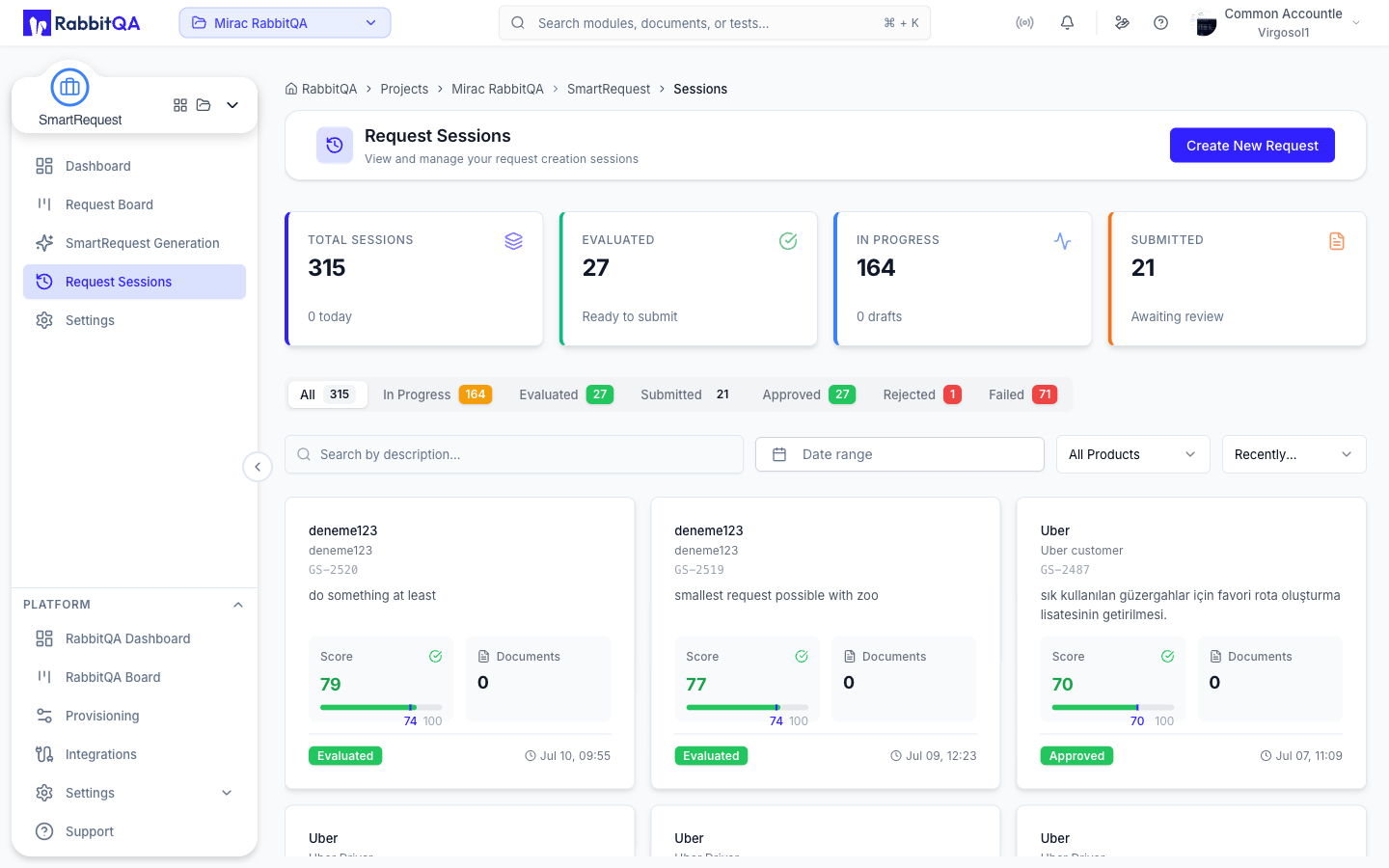
Each card shows the product, the module path, the session code, and the description with markdown stripped.
Two figures sit below it.
- Score — the current score, with a progress bar and a marker at this session's threshold. Green above the threshold, red below it.
- Documents — how many documents are attached.
The footer carries the status badge and the last-updated time. A session that is still being evaluated pulses, so an active session is distinguishable at a glance.
Card actions
Selecting a card either resumes the evaluation or opens the session detail, depending on the state.
| Action | Available when |
|---|---|
| Continue | The session is in a resumable state and you can create requests |
| View Details | Always |
| Delete | You can delete requests |
Deleting is permanent and is confirmed by a dialog.
Session Detail
The detail page at /smartrequest/sessions/{id} shows the generated request together with the record of how it was produced.
Header
The title, the status badge, and the creation date, with the actions that make sense for the state.
| State | Actions |
|---|---|
| Rejected | Re-Evaluate, Resend to Board |
| Evaluated | Continue Evaluating, Submit to Board |
| Evaluating, Stopped, Draft, or Failed | Continue Evaluating |
Re-Evaluate reopens a rejected session and asks the AI to generate fresh questions from the rejection feedback, then takes you into the generation flow to answer them.
Resend to Board puts a rejected session back into the approval flow without re-running the evaluation.
Continue Evaluating on an evaluated session reopens the questions so the score can be raised before submitting.
Metadata bar
The reporter, the creation date, and the product and module path.
Rejection reason
A rejected session shows the reason, who rejected it, and when, above the request body.
The request
The generated request is rendered exactly as it appears in the board's Detail tab.
| Section | Contents |
|---|---|
| Header | Title, description, status and threshold badges, priority and its reasoning |
| Approval flow | The approval steps and their states |
| Transformation | What you provided, beside what the AI understood |
| AI Analysis & Recommendations | Insights the AI detected and the actions it recommends |
| Detailed Summary | The full generated summary |
| Acceptance Criteria | The generated criteria list |
| Custom Fields | The custom fields the AI answered, each with its reasoning |
| Evaluation Q&A | The full question-and-answer transcript |
The title, description, summary, acceptance criteria, and priority can be edited in place. Each edit is saved to the session, so the board and this page show the same value afterwards. Without update rights the fields render as plain text.
Translation
When the session has been translated, a toggle switches the whole request between the original and the translated version. Nothing is overwritten — both versions are held on the session.
Export
Export PDF opens the section picker described in Request Board.
Documents
Documents attached to the session are listed with their upload date.
Timeline
A short chronology of the session: created, started, completed, and submitted, with timestamps for the ones that have happened.
Session Lifecycle
DRAFT → EVALUATING ⇄ PROCESSING_ANSWER → EVALUATED → SUBMITTED → APPROVED
                                                              ↘ REJECTED → (reopen)
| State | Meaning |
|---|---|
DRAFT | Created, evaluation not started |
EVALUATING | The AI is asking questions |
PROCESSING_ANSWER | An answer is being scored |
EVALUATED | Questions finished, ready to preview and submit |
SUBMITTED | On the board, awaiting approval |
APPROVED | Approved by the approval flow |
REJECTED | Rejected, with a reason |
STOPPED | Paused by the user |
CANCELLED | Cancelled |
FAILED | The evaluation errored |
DRAFT, EVALUATING, STOPPED, and FAILED are the states a session can be continued from.
EVALUATED, SUBMITTED, and APPROVED are the states in which a session can be used as a generation source by Smart PBI and CaseWriter.
A session still being evaluated has no finished request for them to read.
