Integrations
Connect RabbitQA with your existing tools and workflows.
What are Integrations?
Integrations connect RabbitQA with your existing development and project management tools, enabling seamless workflows and data synchronization across your entire ecosystem.
Configure integrations once at the platform level, and they become available across all RabbitQA modules.
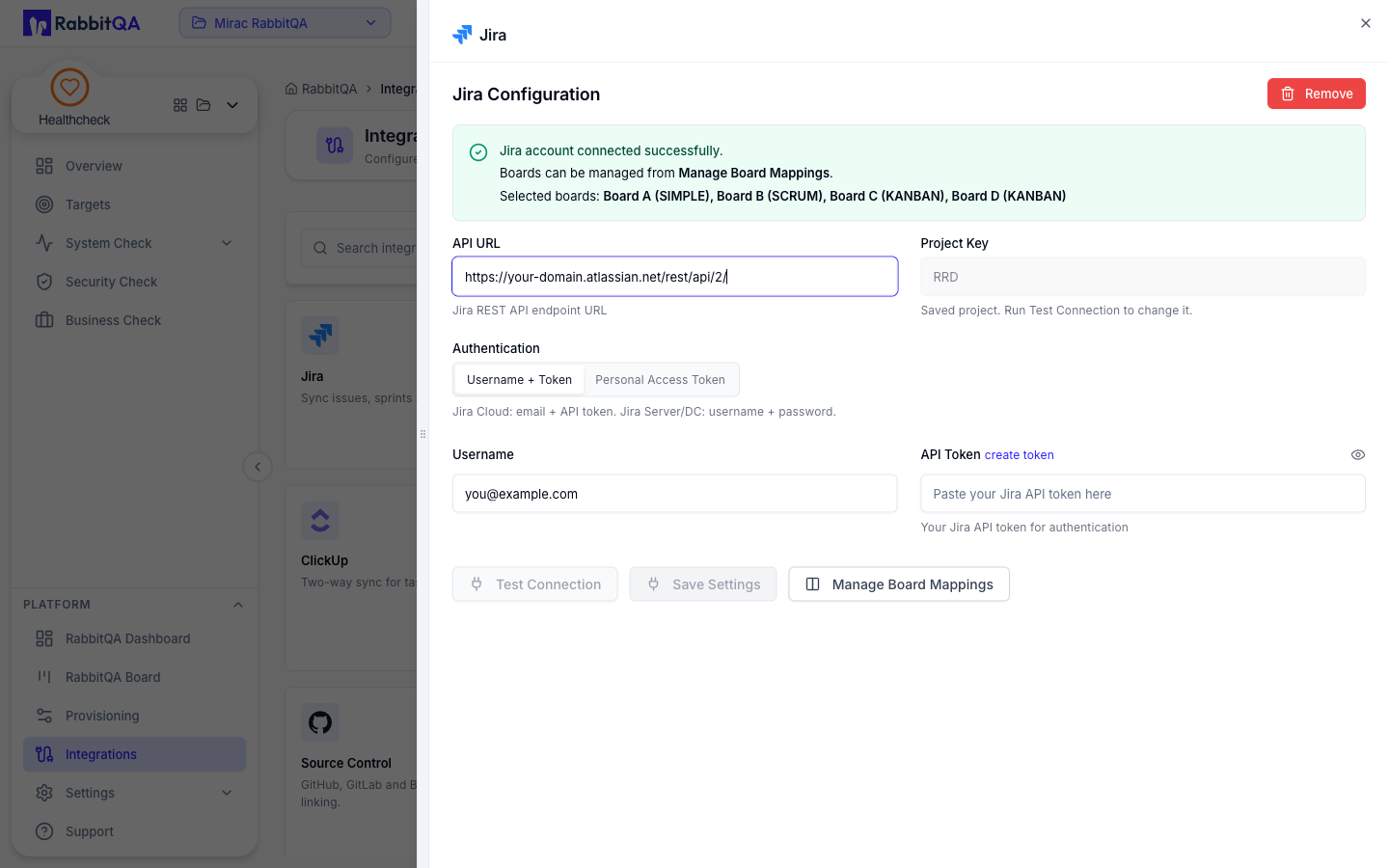
Jira Integration
Connect RabbitQA with your Jira instance to enable bidirectional synchronization of issues, PBIs, and test results.
Configure by entering your Jira instance URL, administrator email, and API token. Once connected, Analyzer can export PBIs to Jira, TestPilot can automatically create issues from test failures, and CaseWriter can link test cases to Jira requirements.
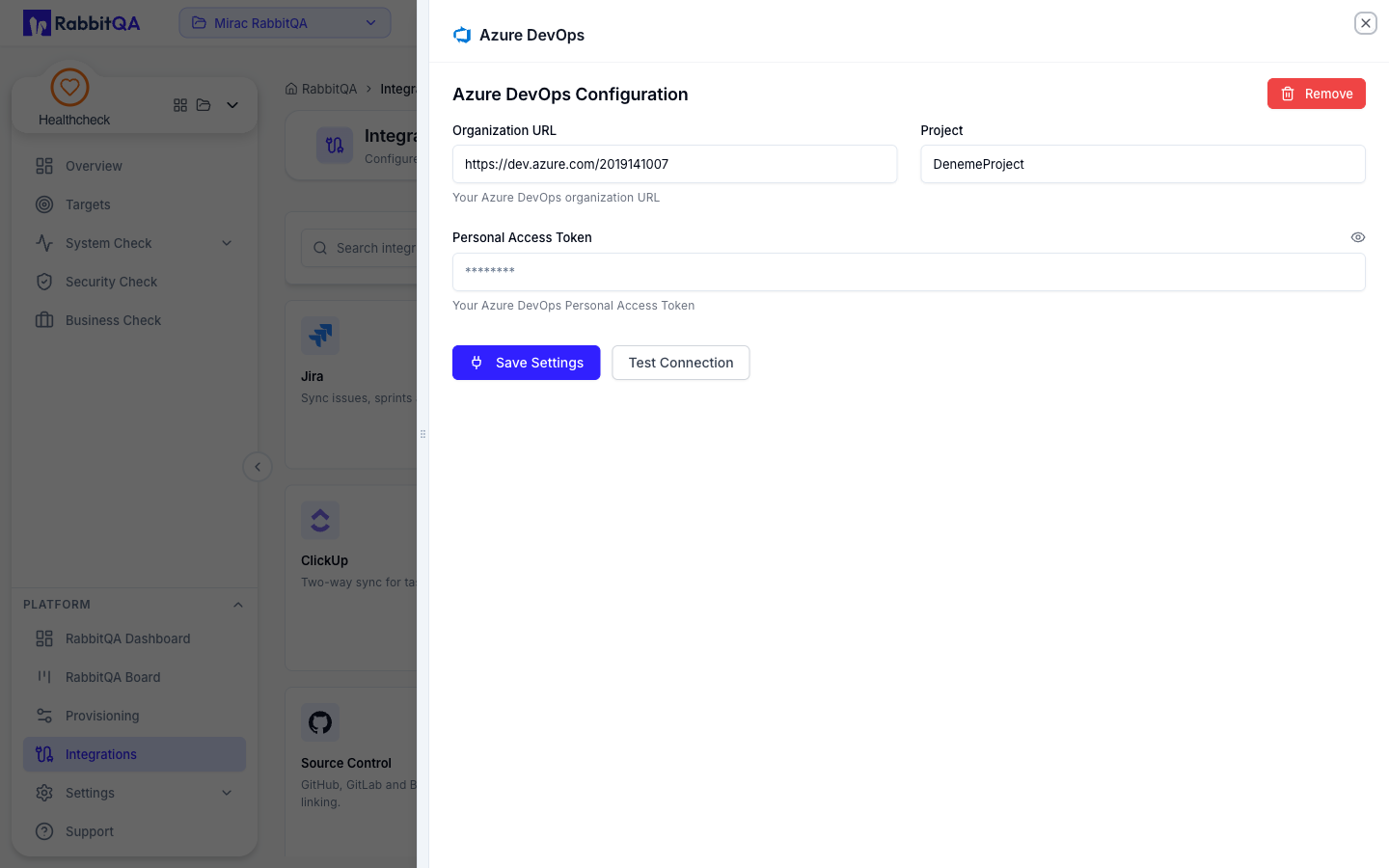
Azure DevOps Integration
Integrate with Azure DevOps to sync work items, test results, and project data between RabbitQA and your Azure DevOps organization.
Set up by providing your Azure DevOps organization URL, administrator email, and Personal Access Token (PAT). This enables Analyzer to export PBIs as work items, TestPilot to create bugs from test failures, and CaseWriter to maintain traceability with Azure DevOps requirements.
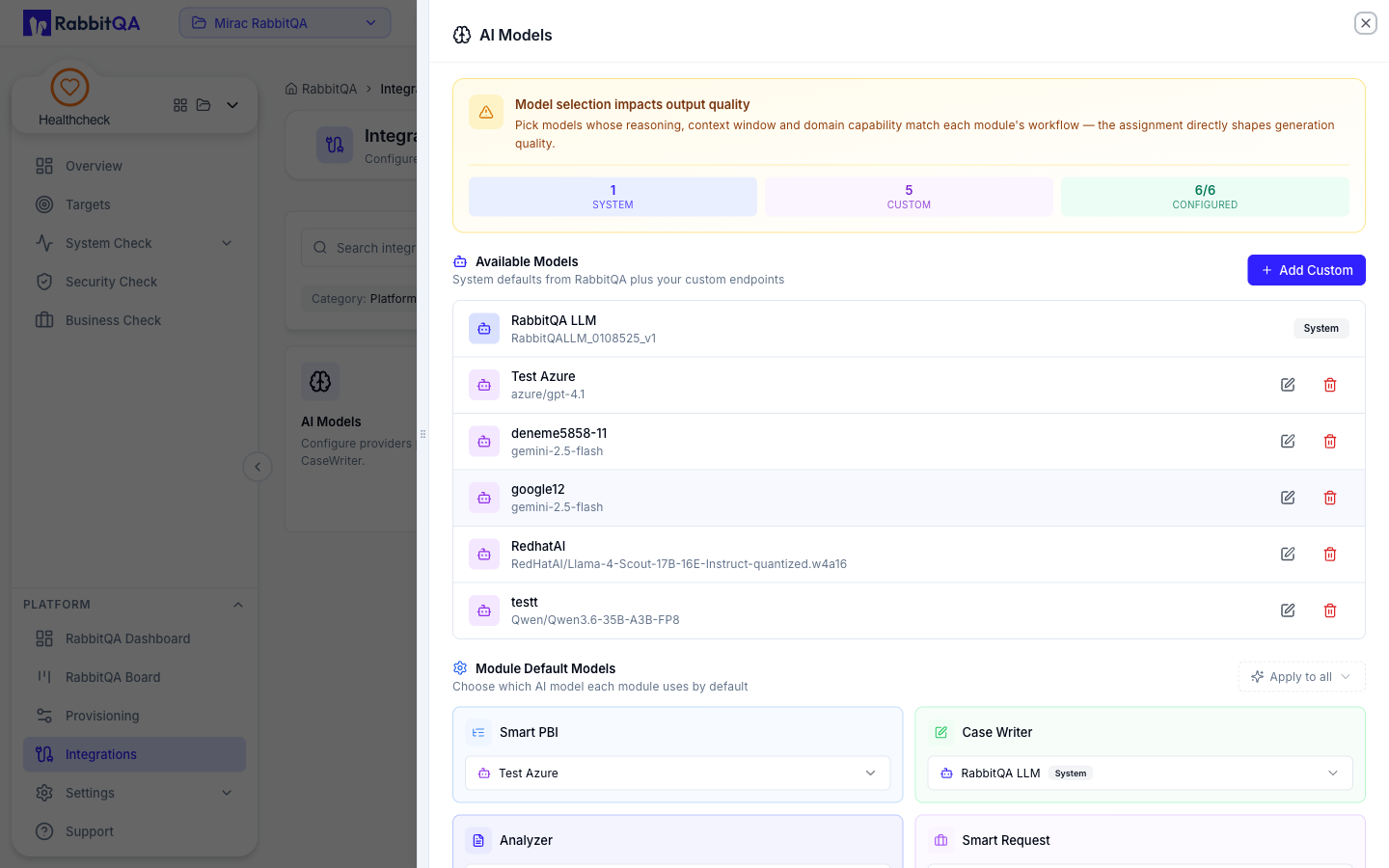
Custom AI Agent Integration
Integrate your custom AI agents to extend RabbitQA's capabilities with your organization's specific AI models and workflows.
Configure API endpoints, authentication credentials, and model parameters. Use custom AI models for document analysis, test case generation, or other specialized workflows within Analyzer, CaseWriter, and TestPilot modules.
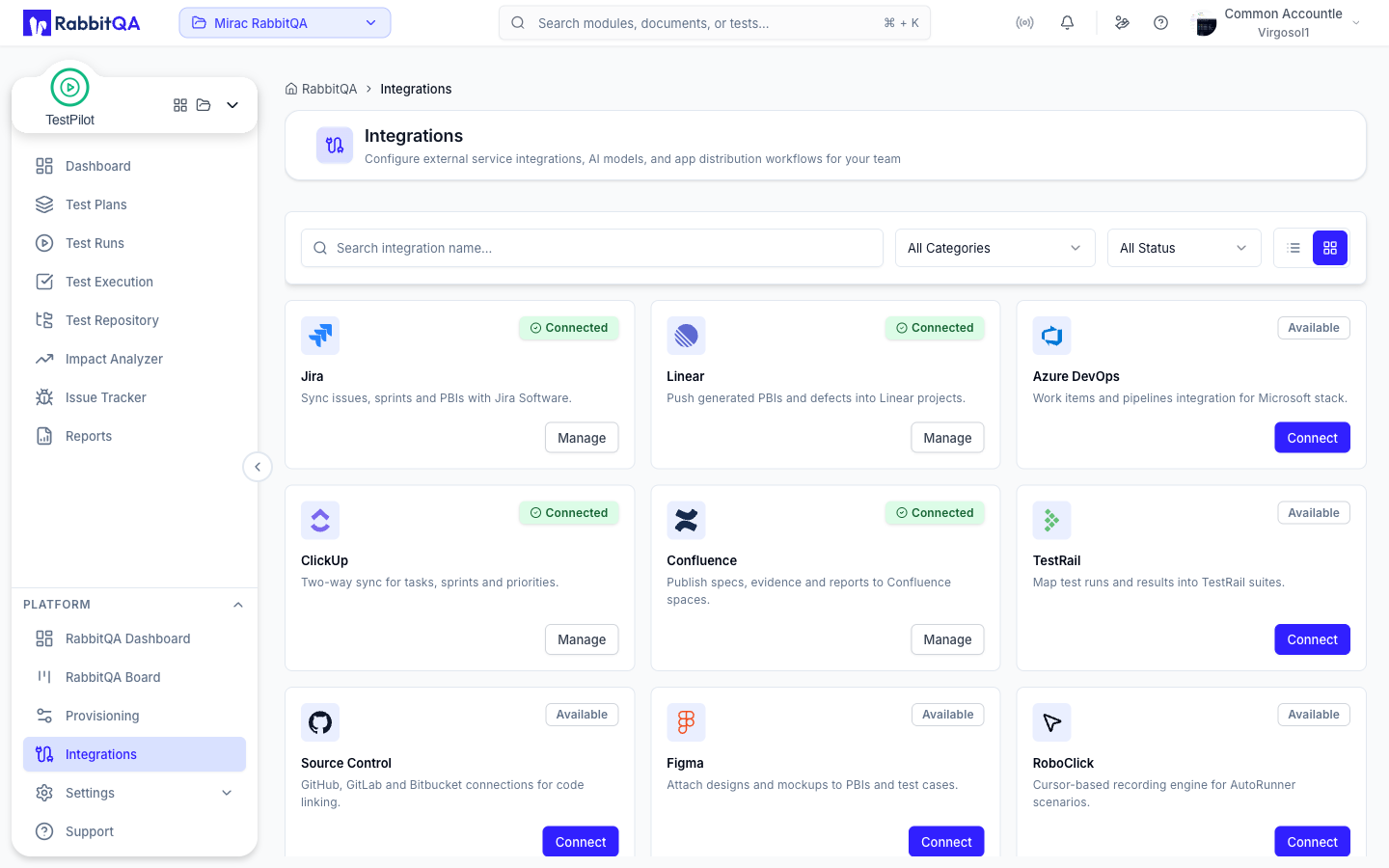
Managing Integrations
View all configured integrations on the Integrations page. Test connections to verify credentials, edit integration settings, enable or disable integrations, and monitor integration status and health.
Integration logs help troubleshoot connection issues and track synchronization activities.
