Agents
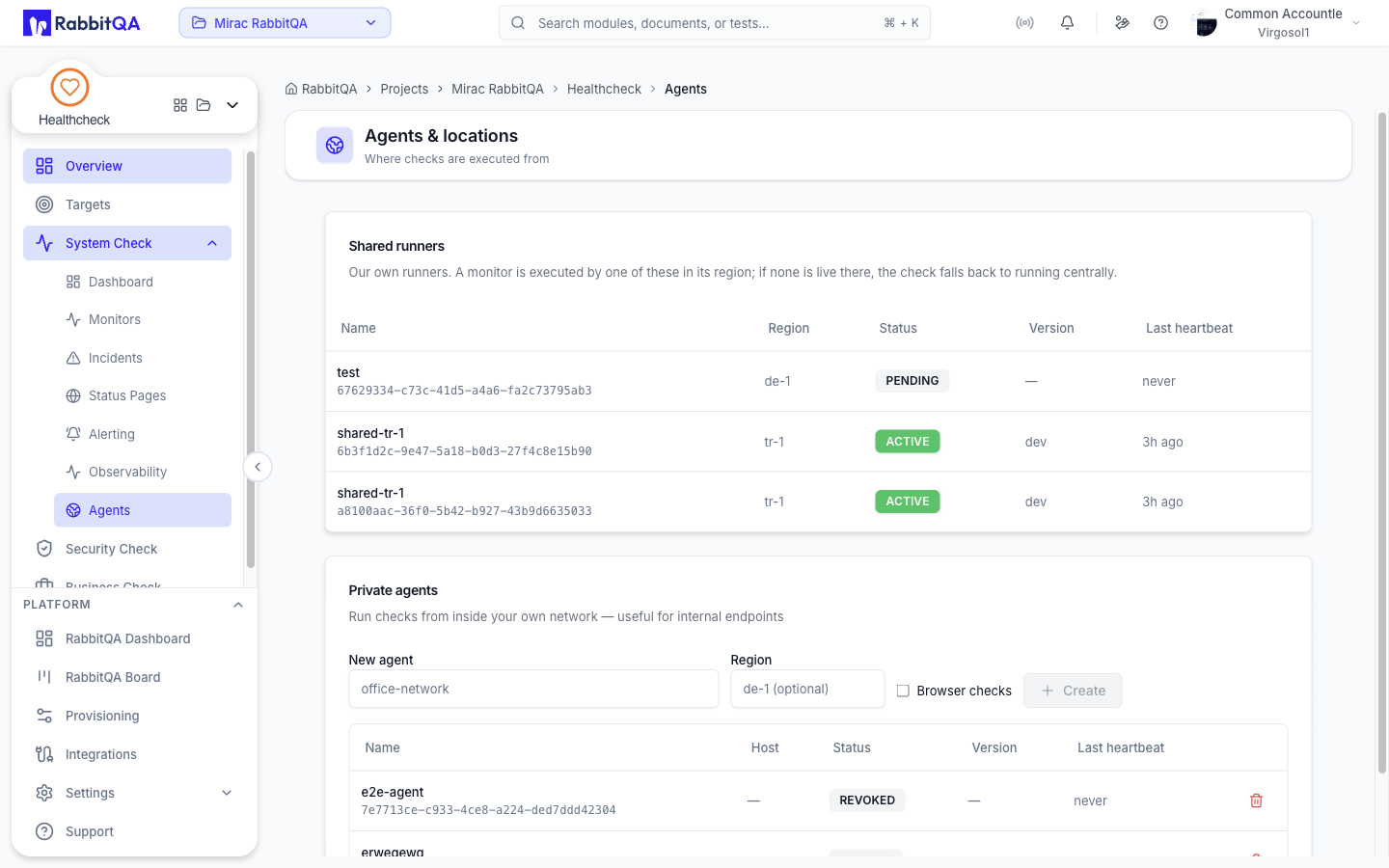
Agents are where checks are executed from.
The screen at /healthcheck/agents shows two pools.
| Pool | What it is |
|---|---|
| Shared runners | Our own runners. A monitor is executed by one of these in its region |
| Private agents | Runners inside your own network, for internal endpoints |
The tables
| Column | Contents |
|---|---|
| Name | The agent name, with its unique identifier underneath |
| Region / Host | The region for a shared runner, the hostname for a private agent |
| Status | ACTIVE, INACTIVE, or REVOKED |
| Version | The runner version |
| Last heartbeat | How long ago it reported in, or never |
Shared runners are read-only. Private agents can be revoked.
Enrolling a private agent
- Type a name in New agent, for example
office-network. - Leave Region empty for an agent inside your own network. Entering a region instead enrolls it as one of the shared locations.
- Tick Browser checks if the host should be allowed to run Browser Checks.
- Click Create.
A panel appears with Run this on the host and the install command for that agent. Use Copy command and run it on the machine you want checks to execute from.
The install command carries the enrollment token. It is shown once and cannot be retrieved later — copy it before leaving the page.
Placement and fallback
An agent reports its region, its pool, its heartbeat, and whether it can run browser checks. When you create a monitor, Run from offers the shared regions plus your own active private agents.
- Port, ping, UDP, SMTP, SQL, Scrape, and Browser jobs can be placed on an enrolled agent.
- If the requested region has no live compatible runner, the work can fall back to another shared compatible runner.
- Every type except Browser Check and Scrape Check falls back to running centrally when no runner answers.
- Browser Check and Scrape Check do not fall back. With no runner available the check is recorded as failed — No browser runner available in this region and No runner available in this region to scrape the endpoint respectively.
- A Browser Check additionally requires a runner that advertises browser capability.
Choosing a private agent means the agent decides its own location, so the region setting no longer applies to that monitor.
Revoking an agent
Click the revoke control on a private agent and confirm. The agent stops receiving checks.
