SmartRequest Module
SmartRequest is an AI-powered request management system that streamlines the process of capturing, evaluating, and approving business and technical requests.
Key Features
AI-Powered Request Creation
- Intelligent Evaluation - AI asks clarifying questions
- Automatic Scoring - Priority and value assessment
- Document Analysis - Extract information from attachments
- Smart Recommendations - AI-generated action items
Approval Workflow
- Multi-Stage Approval - Configurable approval chains
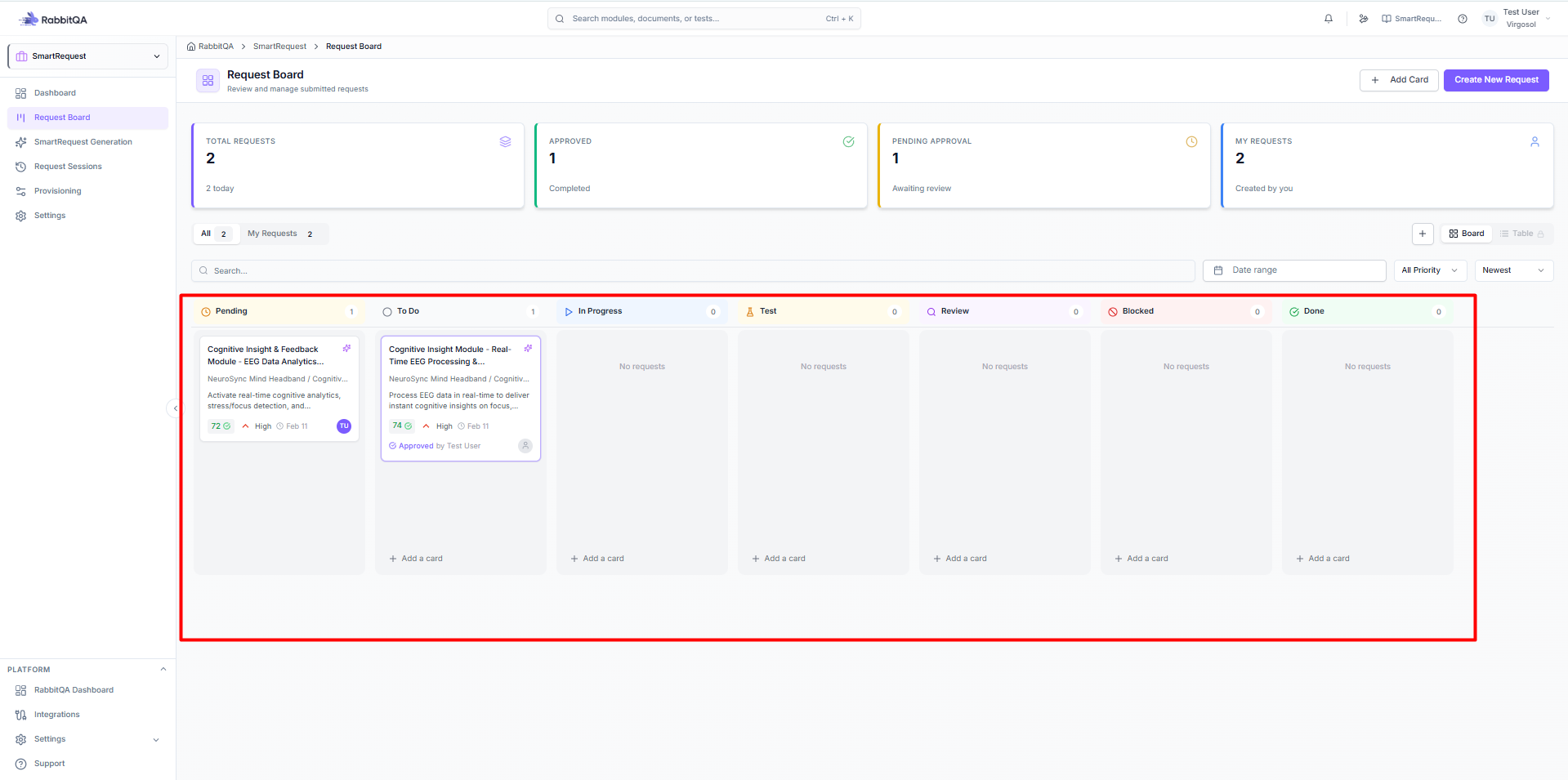
- Kanban Board - Visual workflow management
- Status Tracking - Real-time request status
- Notifications - Automated alerts and reminders
Integration Hub
- Smart PBI Integration - Generate PBIs from approved requests
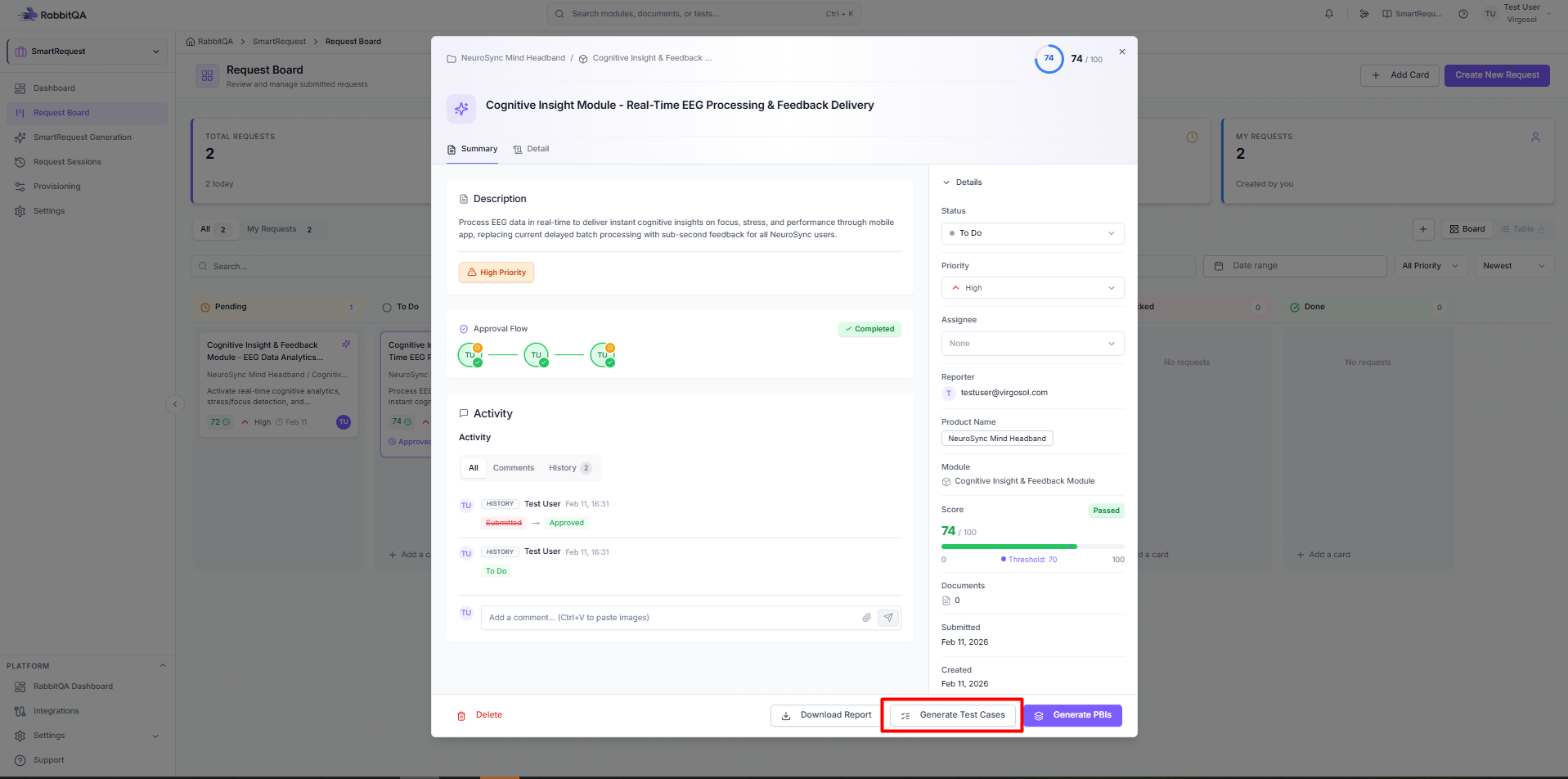
- CaseWriter Integration - Generate test cases from requests
- Export Options - PDF reports and documentation
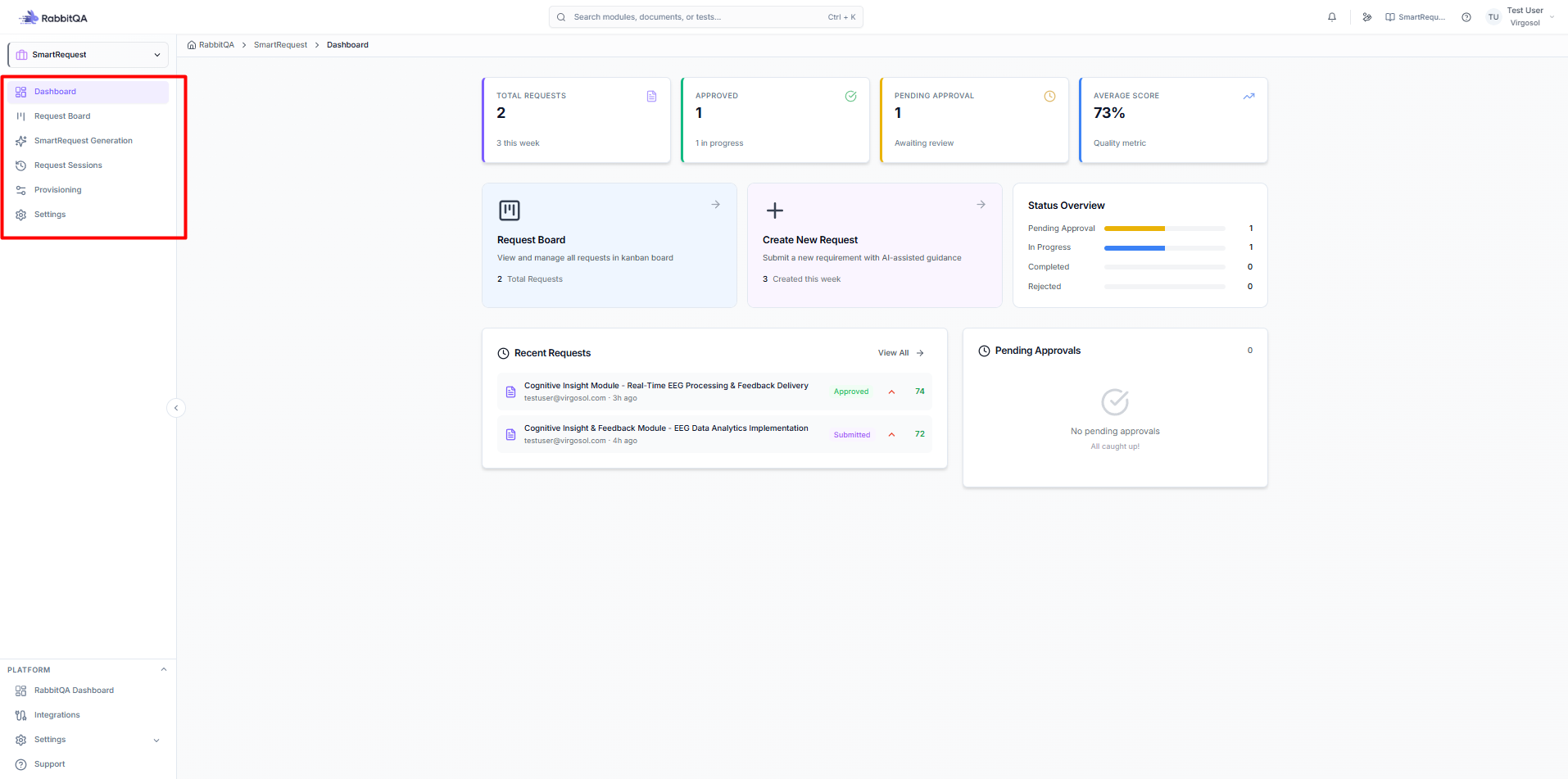
Module Navigation
| Page | Description |
|---|---|
| Request Board | Kanban workflow management |
| Generation | AI request creation wizard |
| Provisioning | Product and module setup |
| Settings | Configuration options |
How It Works
┌─────────────┐     ┌─────────────┐     ┌─────────────┐     ┌─────────────┐
│   Create    │ ──▶ │     AI      │ ──▶ │   Submit    │ ──▶ │   Approve   │
│   Request   │     │  Evaluation │     │ for Review  │     │  & Action   │
└─────────────┘     └─────────────┘     └─────────────┘     └─────────────┘
Step 1: Create Request
Start a new request:
- Enter description and context
- Attach supporting documents
- Add images or mockups
Step 2: AI Evaluation
AI evaluates and clarifies:
- Asks relevant questions
- Gathers additional details
- Scores priority factors
Step 3: Submit for Review
Review and submit:
- Preview AI summary
- Verify details
- Submit for approval
Step 4: Approval & Action
Workflow completion:
- Approver reviews request
- Approve or reject
- Generate PBIs or test cases
Request Types
Business Request
Non-technical requests from stakeholders:
- Feature requests
- Process improvements
- User experience changes
Technical Request
Technical requirements and changes:
- System modifications
- Integration requests
- Infrastructure needs
Request Workflow Status
| Status | Description | Board Column |
|---|---|---|
| Pending | Awaiting approval | Pending |
| To Do | Approved, not started | To Do |
| In Progress | Work has begun | In Progress |
| Test | In testing phase | Test |
| Review | Under review | Review |
| Blocked | Progress blocked | Blocked |
| Done | Completed | Done |
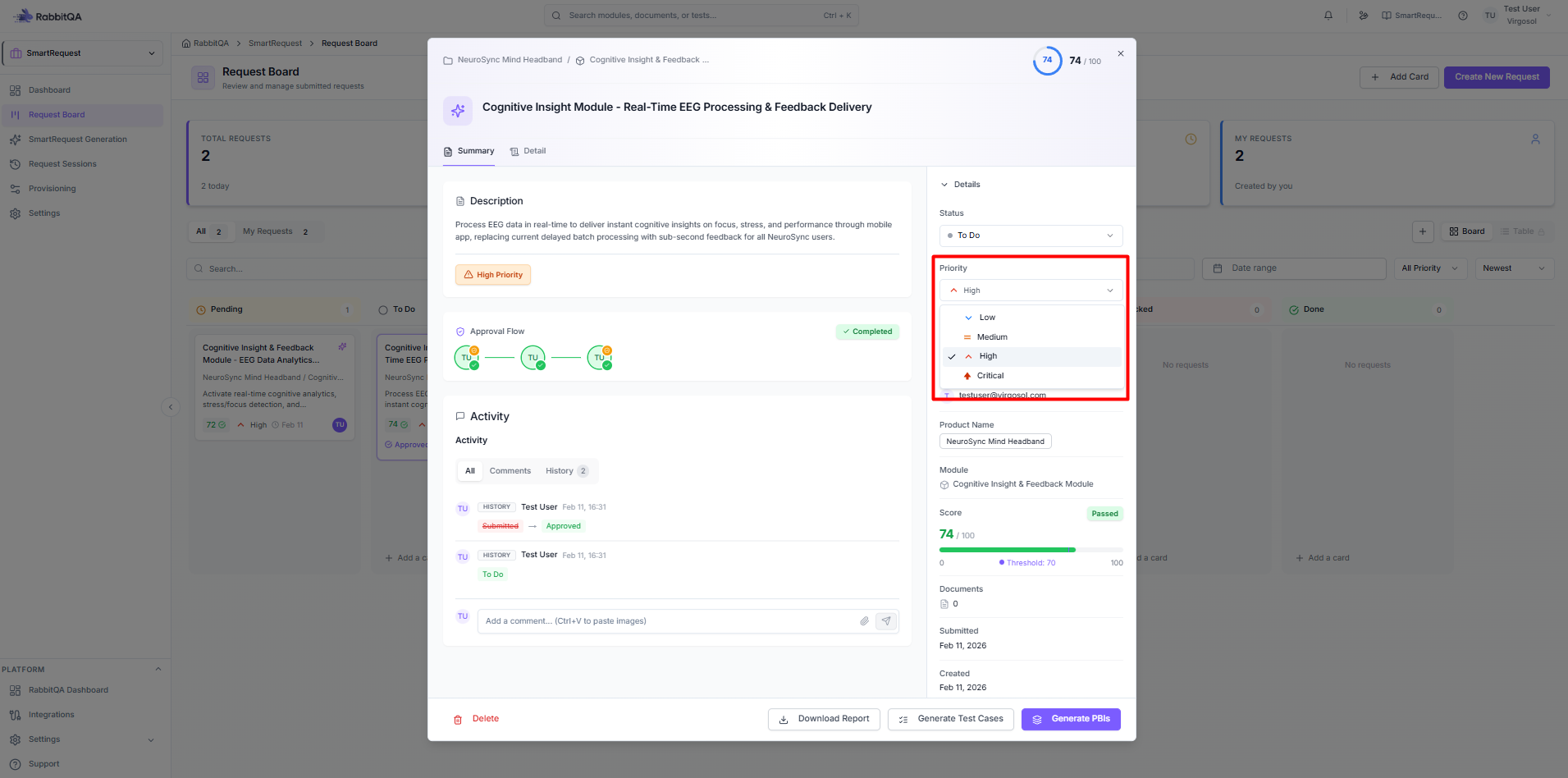
Priority Levels
| Priority | Description | Color |
|---|---|---|
| Critical | Urgent, immediate attention | 🔴 Red |
| High | Important, prioritize | 🟠 Orange |
| Medium | Standard priority | 🔵 Blue |
| Low | When time permits | ⚪ Gray |
Scoring Factors
Requests are scored on six factors:
- Profitability - Revenue impact potential
- Legal Requirement - Compliance necessity
- Revenue - Direct revenue generation
- Customer Satisfaction - User experience impact
- Efficiency - Operational improvement
- Innovation - Strategic value
Integration with Other Modules
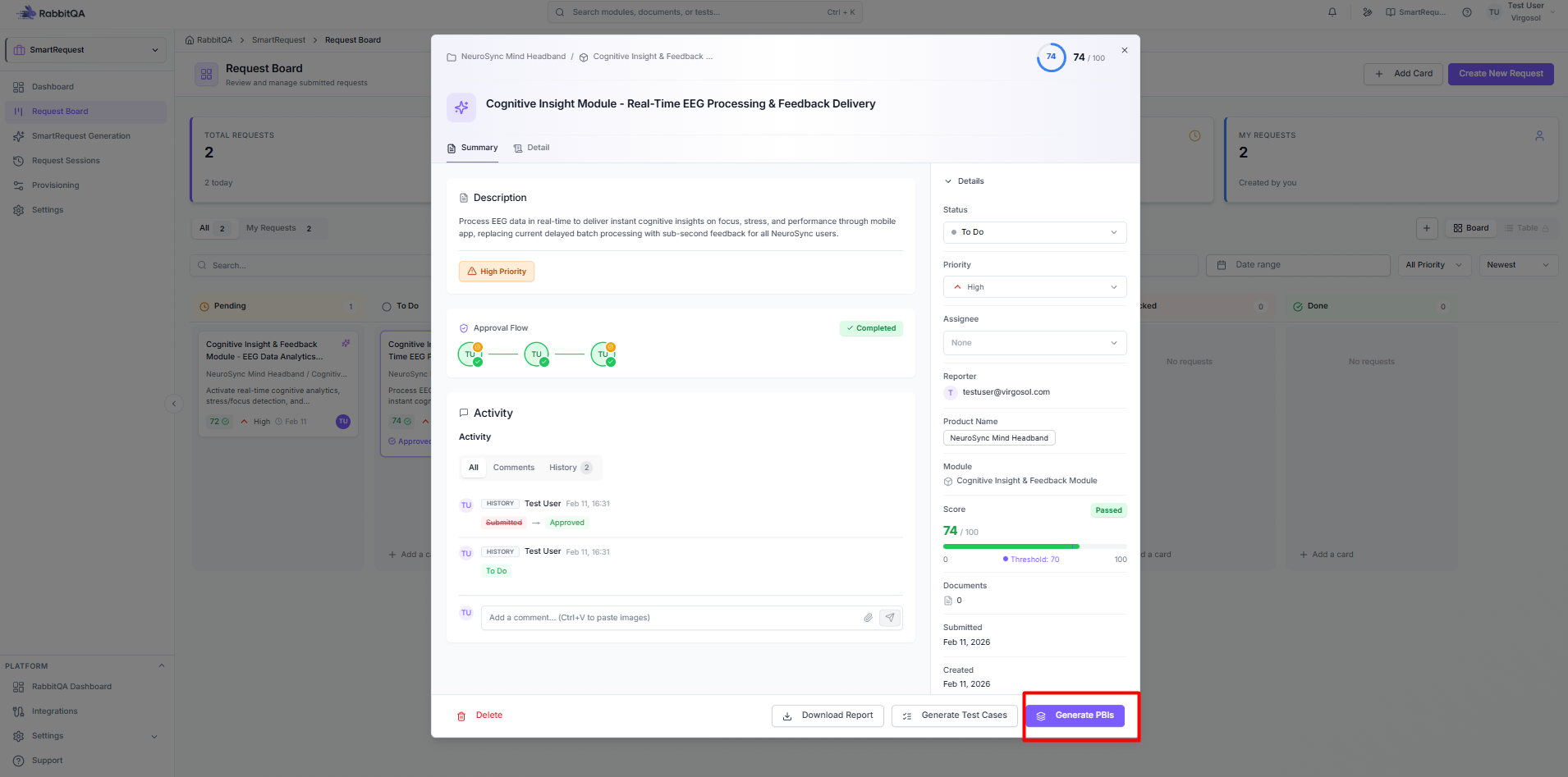
Smart PBI
From an approved request:
- Click Generate PBIs
- Smart PBI opens with request data
- Select data fields to include
- Generate Product Backlog Items
CaseWriter
From an approved request:
- Click Generate Test Cases
- CaseWriter opens with request context
- AI generates test scenarios
- Review and refine test cases
Getting Started
- Set up Provisioning (products and modules)
- Configure Settings (thresholds and approval flow)
- Create your first Request
- Follow the AI Evaluation process
- Manage requests on the Board
