CaseWriter Dashboard
The dashboard is the module's landing screen at /casewriter/dashboard.
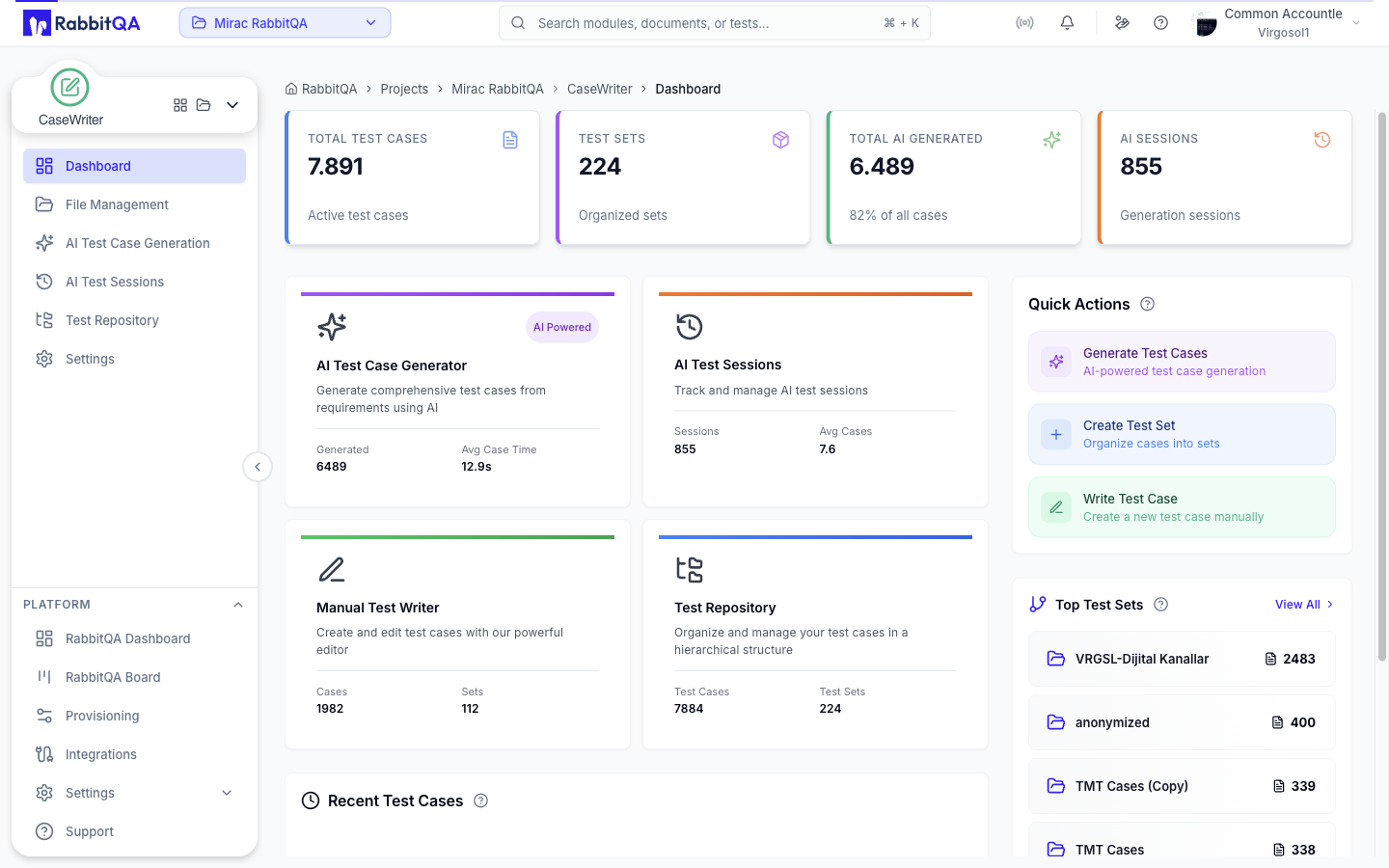
Metrics
Four cards summarize the active project.
| Card | What it counts |
|---|---|
| Total Test Cases | Test cases in the repository |
| Test Sets | Test sets in the repository |
| Total AI Generated | AI-generated cases, with their share of all cases |
| AI Sessions | Generation sessions |
Feature Cards
Four cards link to the module's main surfaces and show live counts.
| Card | Opens | Shows |
|---|---|---|
| AI Test Case Generator | AI Test Case Generation | Cases generated, average generation time |
| AI Test Sessions | AI Test Sessions | Session count, average cases per session |
| Manual Test Writer | Test Repository with the new-case editor open | Manually written cases and test sets |
| Test Repository | Test Repository | Repository test cases and test sets |
Recent Test Cases
A list of recently created or updated test cases.
Each row shows the title, description, who created or updated it, and when. The left border is colored by priority. Selecting a row opens that case in the test repository.
Quick Actions
Three shortcuts in the right column.
| Action | Goes to |
|---|---|
| Generate Test Cases | The AI generator |
| Create Test Set | The repository with the new test set dialog open |
| Write Test Case | The repository with the manual editor open |
The panel is hidden if you do not hold the AI generation permission.
Top Test Sets
The most-used test sets, each with its parent set and test case count.
Selecting a set opens it in the repository. View All opens the repository root.
Guided Tour
The dashboard ships a coach-mark tour that walks through the metrics, feature cards, recent activity, quick actions, and top test sets. It starts automatically the first time and can be dismissed.
